

Connecting your domain
Buy a web address through Buildrok in two clicks, or connect one you already own by changing two settings.
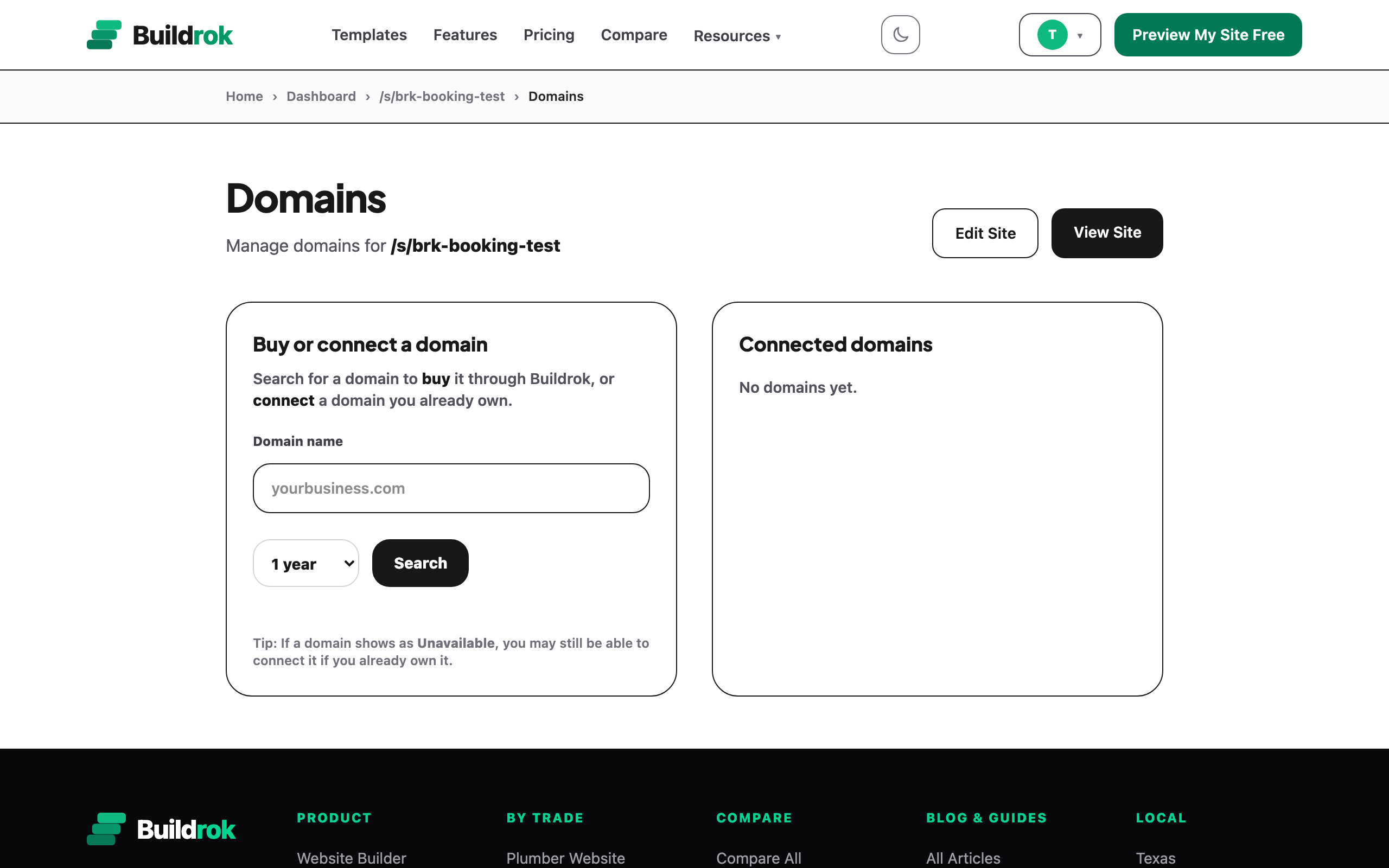
Every published Buildrok site lives on a free buildrok.com/s address. Your own address like yourbusiness.com is optional. There are two ways to get one: buy it through Buildrok, or bring one you already own. Both happen on the Domains page. To get there: open your dashboard, pick your site, then press Domains.
Option 1: Buy an address through Buildrok
This is the two-click path. On the Domains page:
- Type the name you want into the search box.
- Press Search. You'll see which names are free and what each one costs.
- Leave it on 1 year. That is the term the plan includes, and we renew it for you each year. Longer terms are billed at the registrar's price.
- Press Buy.
- Pay on the checkout screen. Your address connects to your site on its own, and there are no settings for you to change.
A standard .com, .net, .org, .co, .us address costs nothing extra. A premium name or another ending is billed once at the registrar's price, and you'll always see that price on screen before you pay.
A few things worth knowing about this purchase:
- A standard address is part of your subscription, and we renew it while you are subscribed.
- The address is registered in your name. It's yours, and you can move it to another company later if you ever want to.
Option 2: Connect an address you already own
Already bought an address at GoDaddy, Cloudflare, Namecheap, or anywhere else? Connecting it is free. You'll change two settings at that company so your address points at Buildrok. They call these settings "records".
- On the Domains page, type in your address and press Connect.
- Buildrok shows you the two settings to add. One is called an A record and goes on your bare address (shown as @, meaning yourbusiness.com). The other is a CNAME record and goes on www. There's a copy button beside each, and one that copies both at once.
- Open a new tab and sign in at the company you bought your address from.
- Find the page called DNS or DNS Records for your address. Buildrok links straight to the help page for common companies like Cloudflare, GoDaddy, Hostinger, Squarespace and Wix, and highlights the one you appear to use.
- Add both settings. Copy each value across exactly. If you already see a row for @ or for www, change that row instead of adding a new one.
- Come back to Buildrok and press Check Again.
After you press Check Again the panel turns green and your site is live on your own address.
What the status means
While your address connects, the Domains page shows you which stage it's at:
- Needs Two Settings. We haven't seen your new settings yet. Check both values against what Buildrok shows you, then press Check Again.
- Switching Over. Your settings are right and the change is spreading across the internet. Nothing to do but wait.
- Connected. Your site is live on your address, with the padlock that shows visitors it's secure.
How long does it take?
The change usually takes about 15 minutes. It can take up to 48 hours, and that part is set by the company you bought your address from, not by Buildrok. Two practical tips:
- Sometimes yourbusiness.com starts working before www.yourbusiness.com does. That's normal. Wait 15 minutes, then check again.
- If nothing has changed after a few hours, open the guide again and compare both settings letter by letter. An extra dot at the end, or a setting added to the wrong row, is the usual cause.
One subscription detail
Running your site on your own address is what your subscription pays for. If the subscription lapses, your address shows a renew notice until payment is sorted, while your site stays available on its free buildrok.com/s address. The full picture is in Billing And Subscriptions.